Instant, Private EMDR for Telehealth
The browser-native tool for modern therapists. Zero client setup required. Integrates seamlessly with Zoom, Google Meet, SimplePractice, or any video app.

Safari and Firefox support coming soon
Runs entirely on your local device. We never view, store, or transmit session data. A true zero-knowledge clinical tool.
Stop wasting session time on tech support. Launch a board with one click. No apps, no accounts, no downloads needed.
Works with SimplePractice, Zoom, Google Meet, and Psychology Today. If you can share your screen, you can use Pure EMDR.
Setup & Workflow
One-Time Setup
Install the Extension
Do these two steps once on each computer you use for sessions.
- 1
Add to Browser
Install Pure EMDR from the official store. Currently available for Google Chrome and Microsoft Edge.
- 2
Pin the Icon
Click the puzzle piece icon in your toolbar, then click the Pin icon next to Pure EMDR so it is always visible.
Daily Workflow
How to launch during a call
The screen-sharing process depends on your video software. Select your platform below.
Sharing a Web Tab
- 1
Launch the Board. Click Open EMDR Tab to open an EMDR Board next to your current tab. You do not need to navigate to this tab.
- 2
Initiate Screen Share. In your telehealth platform (SimplePractice, Google Meet, etc.), select Share Screen.
- 3
Share the Tab. Share the EMDR Board tab. By sharing the tab alone, your client will never see your other tabs, bookmarks, or even this EMDR remote.
- 4
Control the Session. Control the session from the call window using this remote.
Therapist View
The remote stays safely on your side, giving you full control.
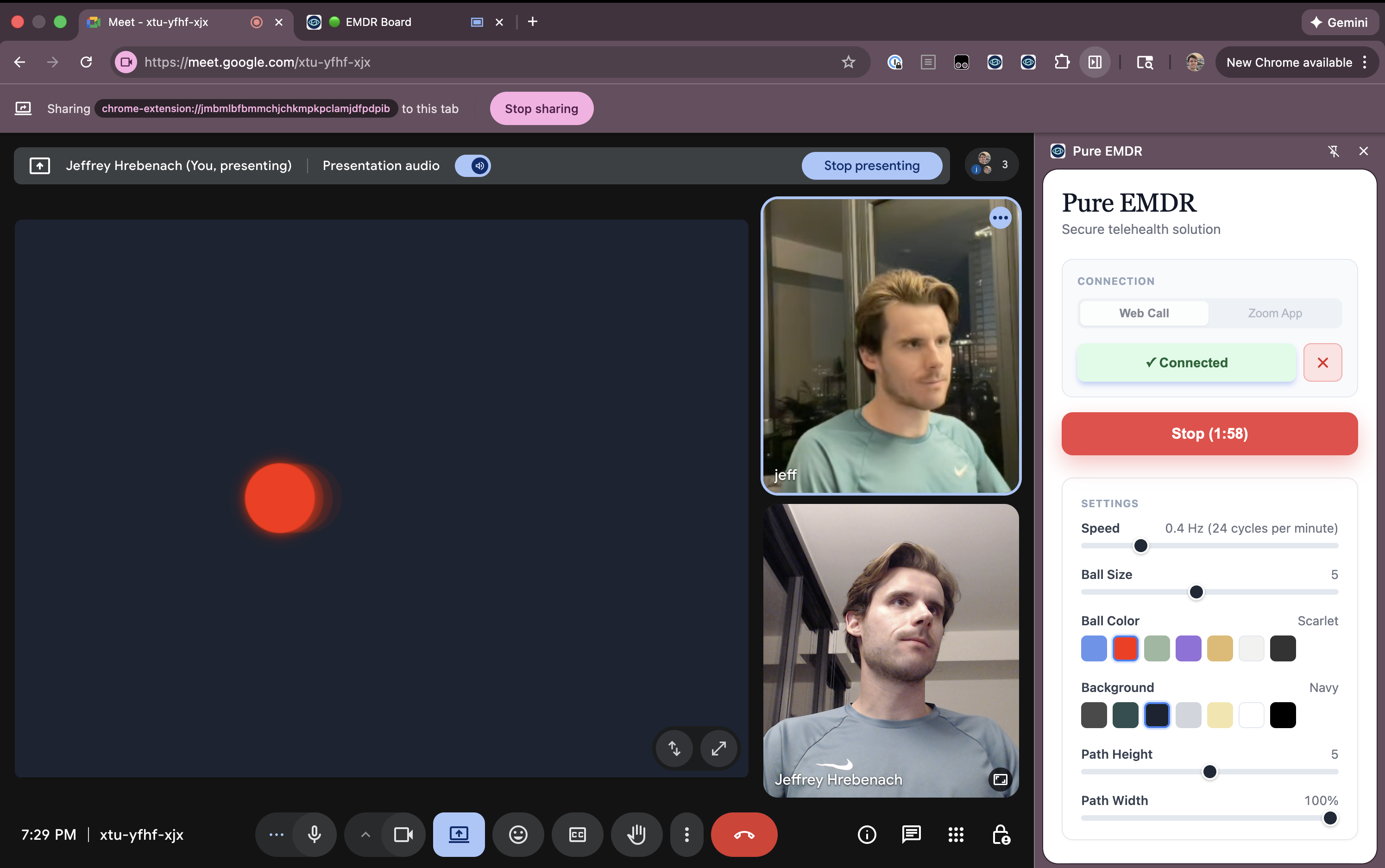
Client View
They only see the EMDR tab. No bookmarks, no remote, no clutter.